
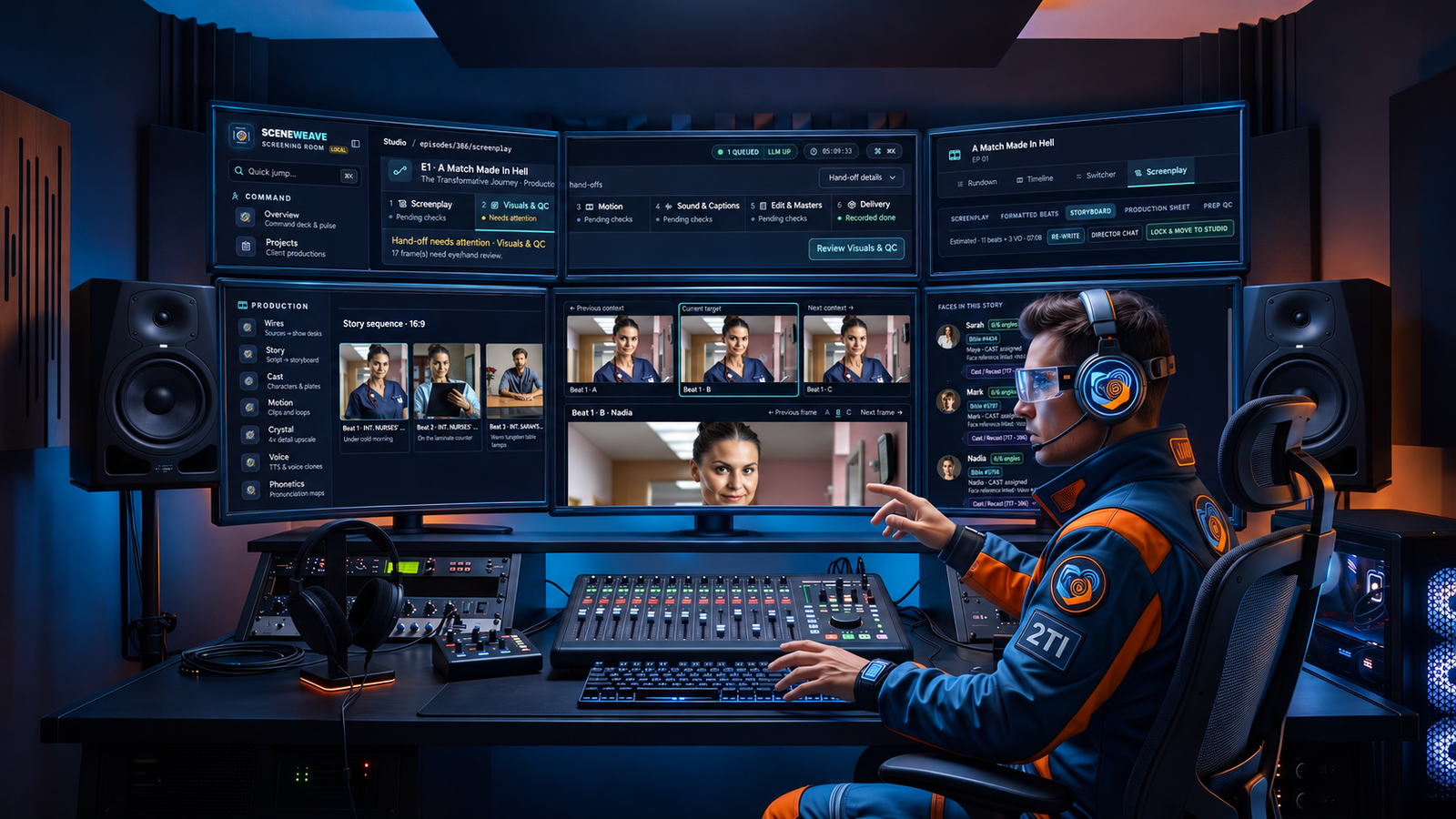
A documentary begins with a story worth telling. Turning that story into a finished film takes a production process: script timing, visual continuity, voice direction, graphics, editing and delivery. SceneWeave brings those stages into a local-first workspace, with two ways to work: operate the system on your own hardware, or have 2TInteractive run the production for you.
A production pipeline built around the script
The difficult part of production often sits between the tools. A script changes, but the voice track still follows the previous draft. A character looks different in the next scene. A vertical version loses the detail that made the landscape composition work.
SceneWeave connects the script, visual references, voice work, broadcast plates and edit around a shared production timeline. The aim is to make each hand-off visible, so an operator can see what needs attention before it reaches the final master.
From narrative structure to delivery
The workflow starts by breaking the story into beats and planning the words against the intended running time. A word budget gives the script a practical boundary; a spoken read and timing review establish whether the pacing actually works.
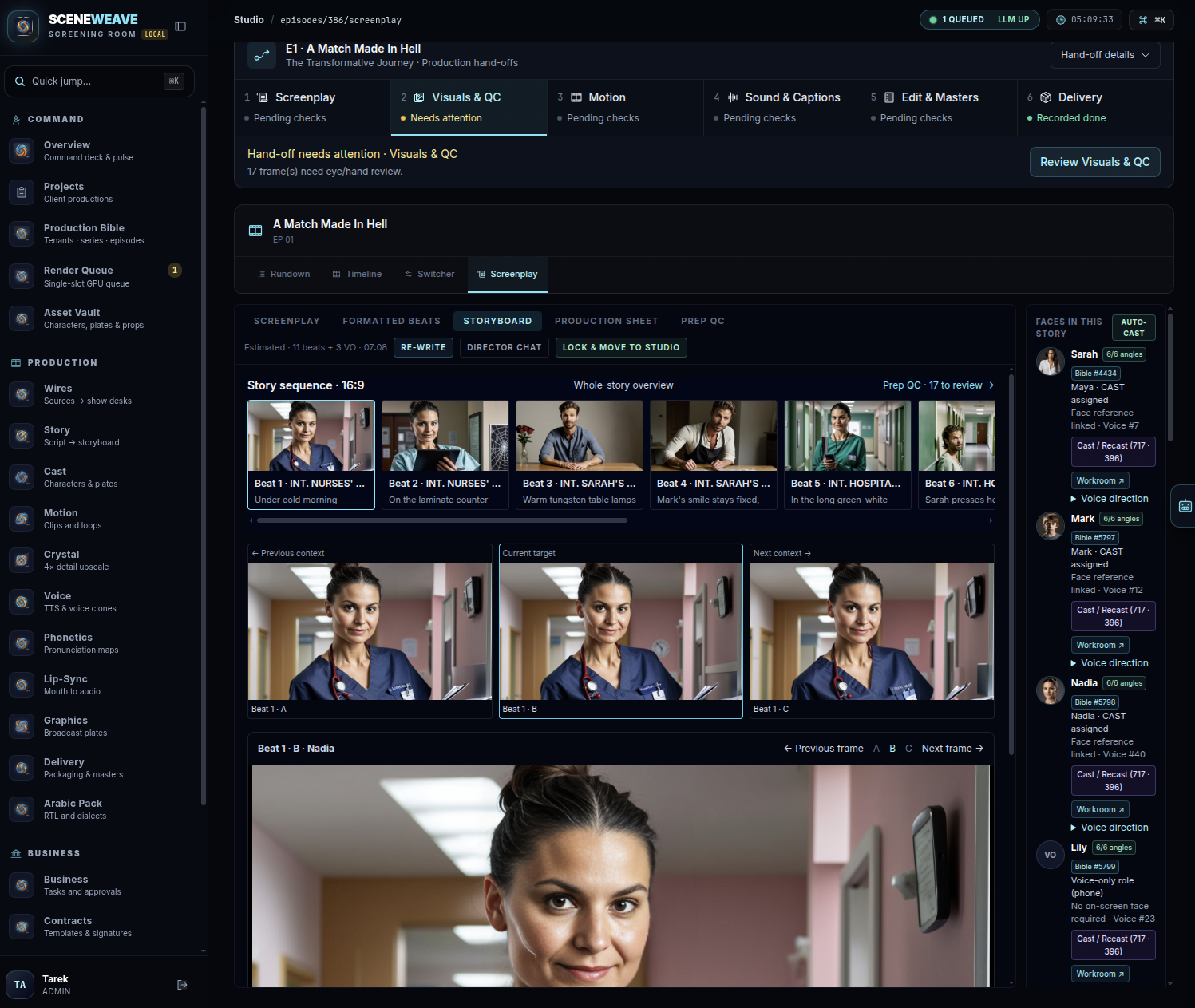
Visual planning brings the sequence and its cast references into view. Operators can compare neighbouring frames, check character continuity and review shots that need correction. In the working capture below, SceneWeave places the previous, current and next images side by side, with cast references alongside them. The visible review queue is part of the work: a generated image still needs an editorial decision.
Arabic and English voice production can run locally, including voice cloning with suitable reference material and permission to use the voice. Voice direction and pronunciation review remain human work. A line can be technically correct and still need a different delivery.
Remotion-based broadcast plates bring titles and graphics into the sequence. The shared rundown and NLE timeline organise the edit, while delivery planning treats 16:9 and 9:16 as separate compositions. Each format needs its own framing and legibility review, even when both come from the same story.
Run SceneWeave on your own hardware
For teams that want to maintain their own production environment, SceneWeave is offered through scoped deployments and hardware-bound module leases. The quote defines the modules, workstation requirements, production allowances, template leases and human supervision required for the job.
Local execution gives your team direct control over its working files and production environment. Capacity depends on the hardware, the models and the complexity of the material. Those constraints belong in the production plan, alongside the creative brief.
This route suits agencies, newsrooms and creators building a recurring production practice with an operator who can manage the system.
Have us operate it for you
Some agencies want the finished production without carrying the systems work. They have clients to serve, scripts to develop and deadlines to meet. Maintaining a workstation, configuring models and managing a render queue may not be how they want to spend their time.
2TInteractive can operate SceneWeave on their behalf. You send us a script and a brief. We analyse the production requirements and prepare a scoped quote covering the time, resources and human operator work needed to deliver it.
The estimate separates the demands of the machine from the demands on the people running it. Rendering, synthesis and processing consume compute time. Script preparation, visual direction, pronunciation checks, continuity review, editing and quality control consume operator time. Revisions and additional versions also affect the scope.
That gives an agency a practical choice: lease and operate its own production setup, or commission production through ours.
Send the script. Start with a production assessment.
A useful brief includes the script or treatment, intended duration, audience, language, visual style, available assets, required formats and deadline. Tell us whether you need a finished master, versions for social channels or an agreed editing hand-off.
We can then identify what is ready, what needs development and which resources the production will require. The quotation sets out the deliverables, review stages and revision scope before production begins.
Have a documentary, branded story or recurring series in mind? Send your script for analysis and a scoped production quote, or discuss a SceneWeave deployment for your own team.