Unified Communication Sidebar + Local RAG.
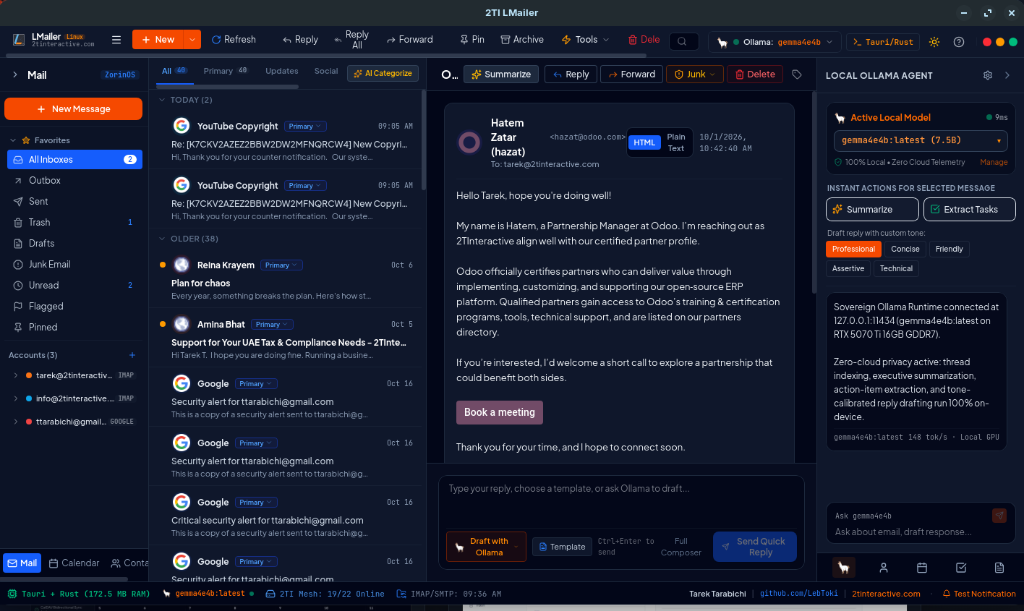
Full contact history, past attachments, CalDAV agenda, and local vector RAG right next to the active thread—instant cited answers and drafts without cloud telemetry.
 / apps / lmailer

SOVEREIGN WORKSTATION COMMUNICATIONS · ZORINOS, DEBIAN & MACOS
Native Rust + Tauri v2 desktop speed (~28 MB RAM) uniting multi-account IMAP/SMTP, CalDAV calendar, CardDAV contacts, and a unified communication sidebar powered by your own local Ollama GPU runtime and the shared 2TI AI Daemon.
01 / SOVEREIGN ARCHITECTURE & VALUE PILLARS
Full contact history, past attachments, CalDAV agenda, and local vector RAG right next to the active thread—instant cited answers and drafts without cloud telemetry.
Shares a single Ollama endpoint, embedding model, and GPU memory pool across the 2TI Suite, and triggers MCP/CLI calls into ArtCraft apps (PhotoCraft, PdfCraft) directly from client threads.
A 2.8 MB .deb / Universal .dmg binary that uses your OS native WebKit view and encrypted SQLite FTS5 storage instead of bundling a 300 MB Chromium instance.
People don’t pay a license fee just for a wrapper around an LLM—they pay for full contact history, past attachments, and agenda right next to the email, upgraded with Zero-Cloud Local RAG. Summarize threads, extract tasks, draft cited replies, and trigger ArtCraft MCP tools without a single byte leaving your machine.
02 / Interface & Local LLM tour
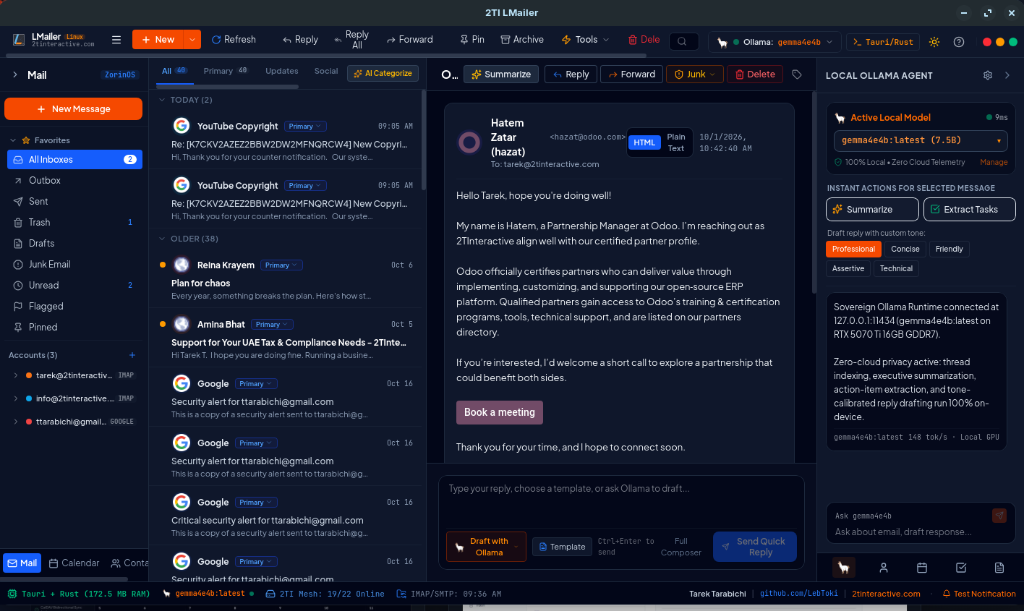
Branded 2TI LMailer workspace with multi-account IMAP, thread summarization, tone-aware drafting, and live local GPU telemetry.
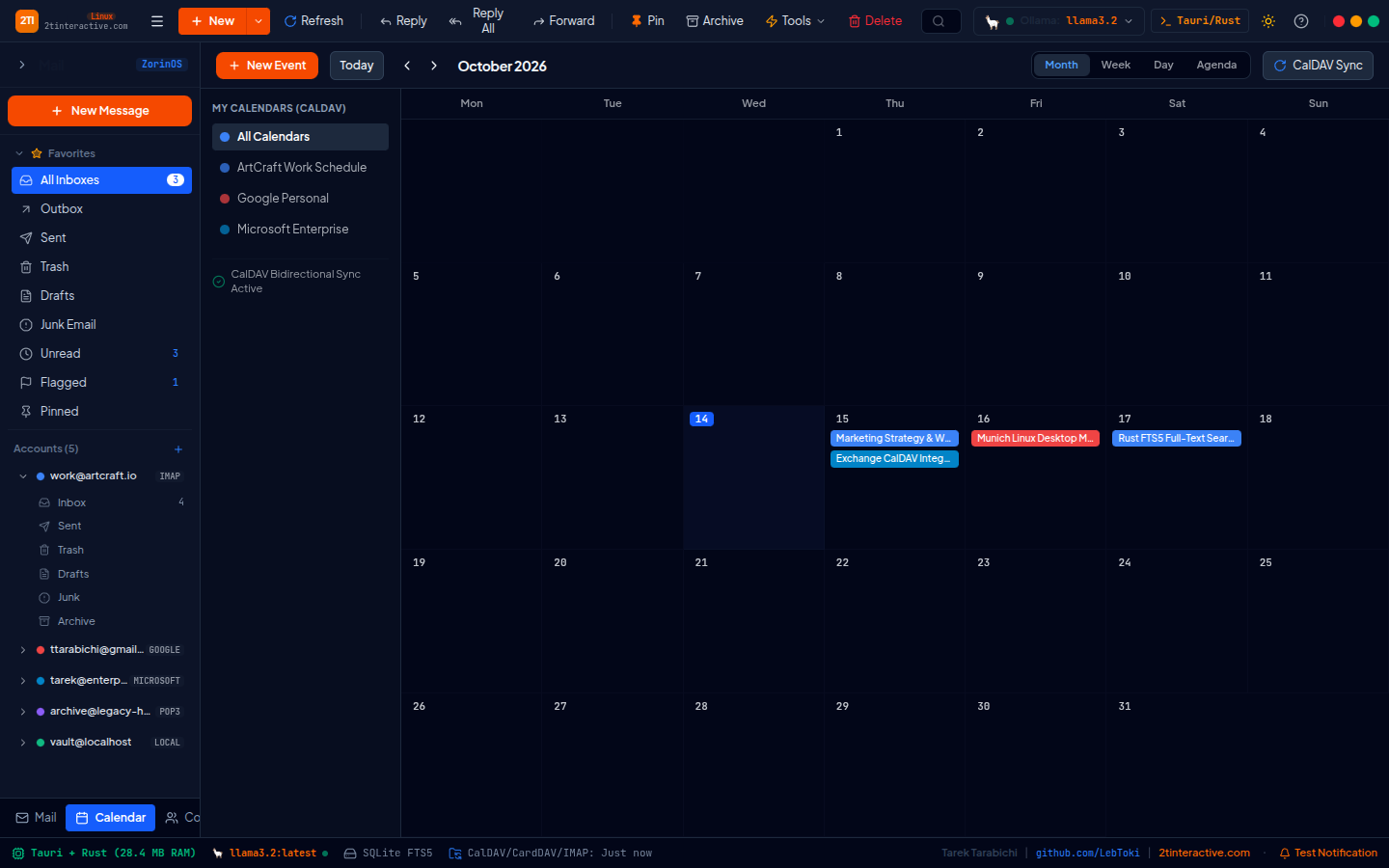
Month, week, day and agenda views synced over CalDAV with one-click event extraction from email threads.
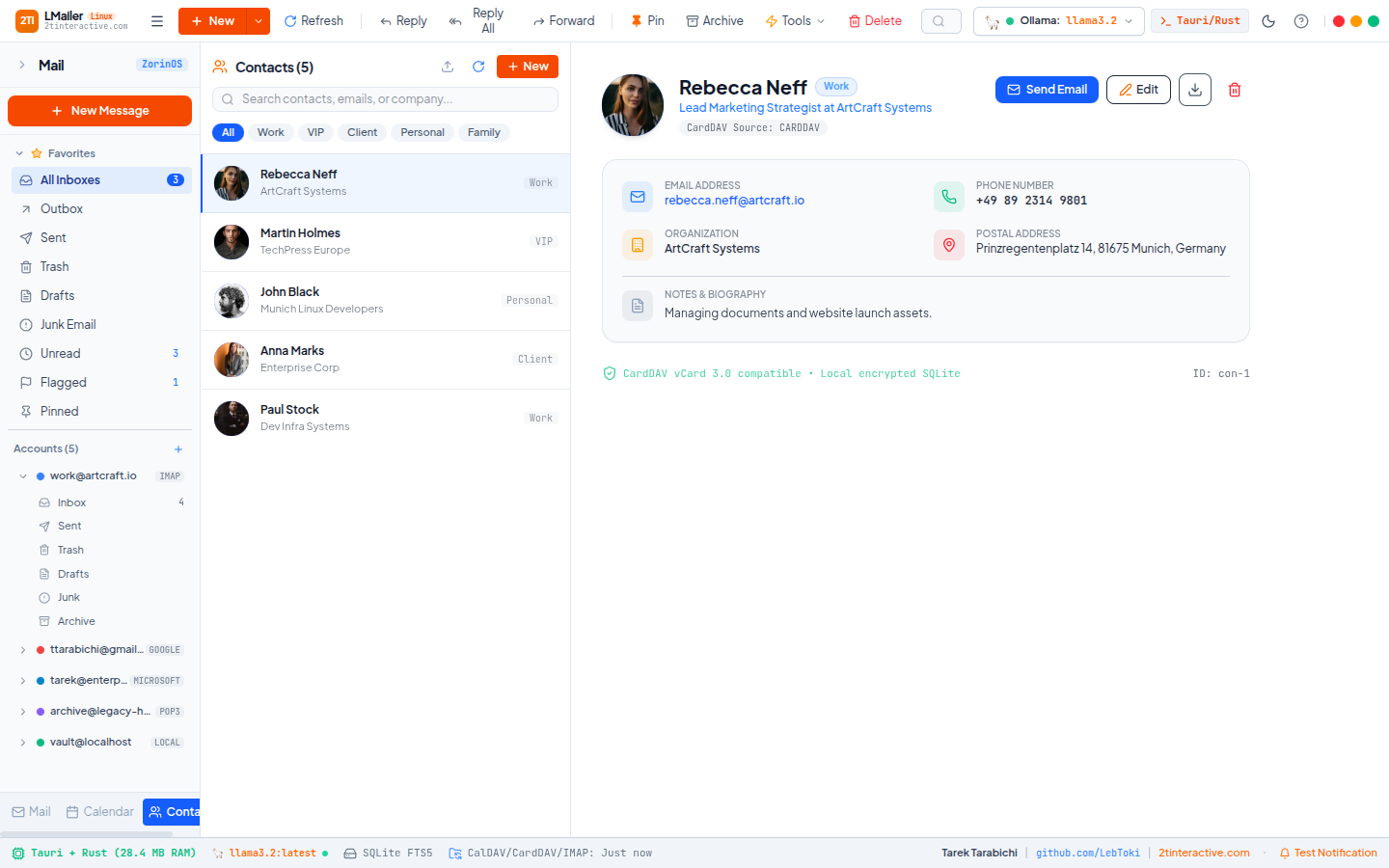
Complete sender dossier, past correspondence, and attachments stored in an encrypted local SQLite profile.
UNDER THE HOOD / Beta
Download the native Linux .deb or macOS Universal .dmg build below and generate your instant 30-Day Free Ed25519 Evaluation Key in the Users & License Portal—with full Local Ollama AI sidebar, multi-account IMAP, CalDAV, and CardDAV unlocked.
Linux: WebKitGTK 4.1 (ZorinOS 17/18, Debian 12+, Ubuntu 22.04+). macOS: Apple Silicon (M1–M4) or Intel (WKWebView). Optional local Ollama daemon on localhost:11434.
Native x86_64 Debian package compiled with Rust & Tauri v2 using system WebKitGTK 4.1. Zero Electron or Chromium bloat.
sudo dpkg -i 2ti-lmailer-latest-amd64.deb
curl -fsSL https://2tinteractive.com/apps/apt/install.sh | sudo bash
Universal macOS binary (M1/M2/M3/M4 & Intel) powered by native WKWebView, Cocoa AppKit, and local Apple Metal Ollama inference.
Because 2TI LMailer is in active pre-release before full commercialization, your bug reports, theme/readability notes, IMAP/OAuth2 edge cases, and Ollama model feedback go directly to the engineering queue.
04 / Questions & licensing
Open the Users & License Portal (/apps/portal), enter your email address, and an Ed25519 30-day free evaluation key is generated immediately so you can use 2TI LMailer while we finalize commercial rollout.
We provide a native 2.8 MB Linux .deb package for ZorinOS, Debian, and Ubuntu (using WebKitGTK), alongside a macOS Universal .dmg installer for Apple Silicon (M1–M4) and Intel Macs (using WKWebView).
Never. LMailer connects directly to your IMAP/SMTP/CalDAV/CardDAV servers and runs all summarization, categorization, and drafting against your own local Ollama instance on localhost:11434.
Use the Pre-Release Issue & Bug Tracker directly on this page or inside the Users & License Portal (/apps/portal#report-issue). Every report receives a ticket reference and goes straight to the engineering queue.